vBadvanced Dynamics Facebook Like+Send Button
Mod Version: 1.00, by LOGECT
| vB Version: 4.x.x | Rating:  (2 votes - 5.00 average) (2 votes - 5.00 average) |
Installs: 9 |
| Released: 16 May 2011 | Last Update: Never | Downloads: 0 |
 Not Supported Not Supported
 Template Edits Template Edits
|
||
Info:
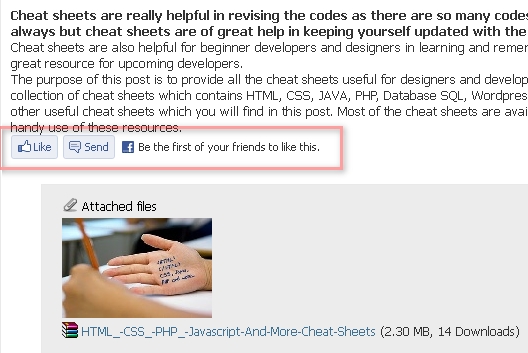
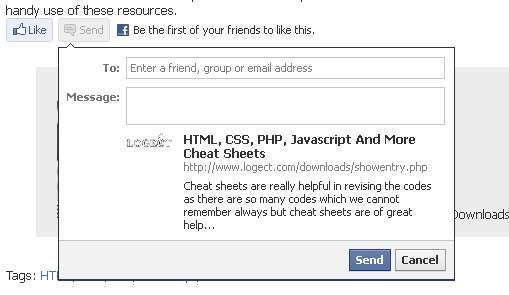
Add the Facebook Like+Send button to vbadvanced Dynamics using 'Open Graph protocol'
http://www.logect.com/downloads/showentry.php?e=53
Screenshots:
Installation:
1- Open the ADV_DYNA_SHOWENTRY template and search for :
Replace it with the code below:
2- Add the code below after {vb:raw headinclude} :
Note:
<meta property="fb:admins" content="xxxxxx" />
Red:
Replace it with your facebook account id.
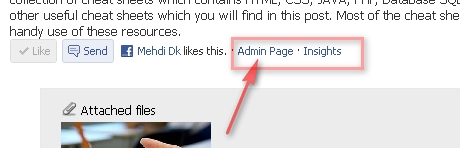
<meta property="fb:app_id" content="xxxxxx"/>
Red:
Replace it with your own facebook application id, use yor vbulletin/facebook connect app id.
3- In the same template search for :
And add the code below after that :
Done.
Add the Facebook Like+Send button to vbadvanced Dynamics using 'Open Graph protocol'
http://www.logect.com/downloads/showentry.php?e=53
The Open Graph Protocol enables you to integrate your Web pages into the social graph. It is currently designed for Web pages representing profiles of real-world things things like movies, sports teams, celebrities, and restaurants. Including Open Graph tags on your Web page, makes your page equivalent to a Facebook Page. This means when a user clicks a Like button on your page, a connection is made between your page and the user. Your page will appear in the "Likes and Interests" section of the user's profile, and you have the ability to publish updates to the user. Your page will show up in same places that Facebook pages show up around the site (e.g. search), and you can target ads to people who like your content. The structured data you provide via the Open Graph Protocol defines how your page will be represented on Facebook.
Installation:
1- Open the ADV_DYNA_SHOWENTRY template and search for :
Code:
<html dir="{vb:stylevar textdirection}" lang="{vb:stylevar languagecode}" xmlns="http://www.w3.org/1999/xhtml">
Code:
<html xmlns="http://www.w3.org/1999/xhtml" xmlns:og="http://ogp.me/ns#" xmlns:fb="http://www.facebook.com/2008/fbml" dir="{vb:stylevar textdirection}" lang="{vb:stylevar languagecode}" id="vbulletin_html">
Code:
<meta property="og:title" content="{vb:raw entry.title}" />
<meta property="og:description" content="{vb:raw entry.meta_description}" />
<meta property="og:url" content="{vb:raw href}" />
<meta property="og:type" content="website" />
<meta property="og:image" content="http://www.YOURWEBSITE.com/YOURLOGO.png" />
<meta property="og:site_name" content="YOURSITENAME" />
<meta property="fb:admins" content="xxxxxx" />
<meta property="fb:app_id" content="xxxxxx"/>
<meta property="fb:admins" content="xxxxxx" />
Red:
Replace it with your facebook account id.
This means when a user clicks a Like button on your page, a connection is made between your page and the user. Your page will appear in the "Likes and Interests" section of the user's profile, and you have the ability to publish updates to the user.
<meta property="fb:app_id" content="xxxxxx"/>
Red:
Replace it with your own facebook application id, use yor vbulletin/facebook connect app id.
3- In the same template search for :
Code:
                {vb:raw entry.pagetext_parsed}
            </blockquote>
Code:
<fb:like href="{vb:raw href}" send="true" show_faces="false" width="450" show_faces="true" font="tahoma"></fb:like>
Download
No files for download.
Supporters / CoAuthors
- LOGECT
Screenshots
