rocket dock menu on forum:) [ jquery & Css ] support facebook & twitter + work on IE9
Mod Version: 1.00, by mun3im
| vB Version: 4.1.2 | Rating:  (6 votes - 4.83 average) (6 votes - 4.83 average) |
Installs: 17 |
| Released: 08 Apr 2011 | Last Update: Never | Downloads: 154 |
 Not Supported Not Supported
 Template Edits
Additional Files
Re-usable Code Template Edits
Additional Files
Re-usable Code
|
||
hi how are you all
my first post on vbulletin i'm happy to be with you ^^
so to day i have make changes & developments on rocket-dock menu [ jquery & Css ]
to support vb4

i have added facebook & twitter + support internet explorer 9
see example :
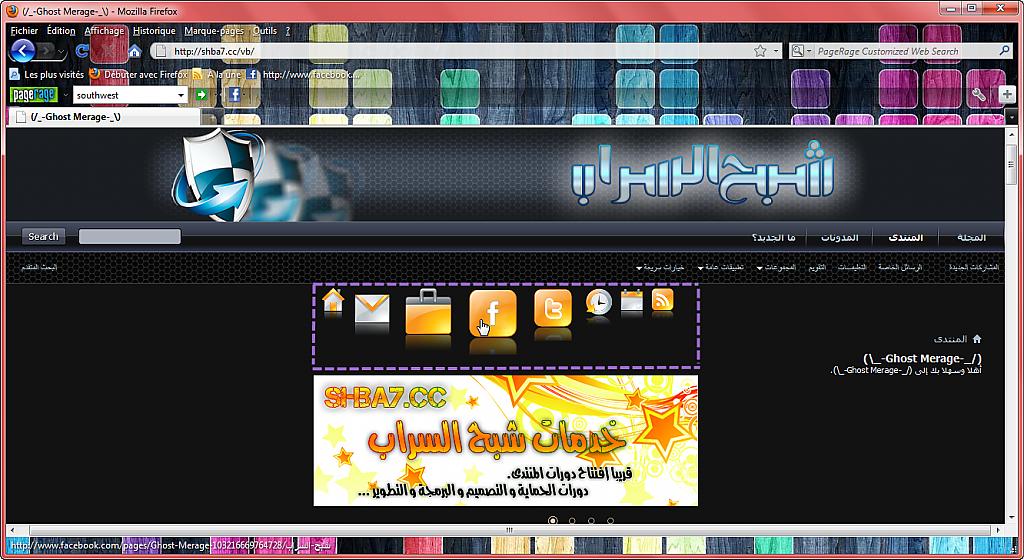
demo: http://www.shba7.cc/vb
install :
======>first:
upload files to [VB] folder on your forum
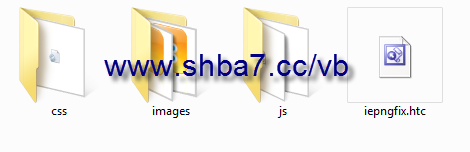
======>second:
you need to change on templates
1- If you want to display the rocket-dock below the header place the code at the end of template [header]
2-If you want to display the rocket-dock only in the home just insert the code at the end of template [forumhome]
3-If you want to display the menu in all pages + like the example,
Place the code after the word
Code:
[ </div><!-- closing div for above_body --> ]
code:
Code:
<!--- rocketDock Menu developed and Translated to Arabic By Twi[L]ighT Dz , www.shba7.cc/vb  -->
<!DOCTYPE html PUBLIC "-//W3C//DTD XHTML 1.0 Transitional//EN" "http://www.w3.org/TR/xhtml1/DTD/xhtml1-transitional.dtd">
<html xmlns="http://www.w3.org/1999/xhtml">
<head>
<meta http-equiv="Content-Type" content="text/html; charset=iso-8859-1" />
<title>CSS Mac Dock</title>
<script type="text/javascript" src="js/jquery.js"></script>
<script type="text/javascript" src="js/bar.js"></script>
<!--[if lt IE 7]>
 <style type="text/css">
 div, img { behavior: url(iepngfix.htc) }
 </style>
<![endif]-->
<link href="css/style.css" rel="stylesheet" type="text/css" />
</head>
<body>
<div class="dock" id="dock">
  <div class="dock-container">
  <a class="dock-item" href="your link here"><img src="images/home.png" alt="home" /><span>home</span></a>
  <a class="dock-item" href="your link here"><img src="images/email.png" alt="contact us" /><span>contact us</span></a>
  <a class="dock-item" href="your link here"><img src="images/portfolio.png" alt="usercp" /><span>usercp</span></a>
  <a class="dock-item" href="your link here"><img src="images/fb.png" alt="facebook" /><span>follow as on facebook</span></a>
  <a class="dock-item" href="your link here"><img src="images/tw.png" alt="twitter" /><span>follow as on twitter</span></a>
  <a class="dock-item" href="your link here"><img src="images/history.png" alt="time" /><span>time</span></a>
  <a class="dock-item" href="your link here"><img src="images/calendar.png" alt="calendar" /><span>calendar</span></a>
  <a class="dock-item" href="your link here"><img src="images/rss.png" alt="rss" /><span>RSS</span></a>
</div>
</div>
<script type="text/javascript">
    $(document).ready(
        function()
        {
            $('#dock').Fisheye(
                {
                    maxWidth: 50,
                    items: 'a',
                    itemsText: 'span',
                    container: '.dock-container',
                    itemWidth: 40,
                    proximity: 90,
                    halign : 'center'
                }
            )
        }
    );
</script>
</body>
</html>

i hope you enjoy this
+ if you install plz click install THANKS YOU ^^
---------------------------
By Twi[L]ighT Dz
---------------------------
Download
 rocketdock menu by Twi[L]ighT Dz.zip (248.9 KB, 221 downloads)
Screenshots