YouTube Channel Link @ NavBar
Mod Version: 1.1.0, by SorentoUltimate
| vB Version: 3.8.x | Rating:  (1 vote - 5.00 average) (1 vote - 5.00 average) |
Installs: 11 |
| Released: 21 May 2010 | Last Update: Never | Downloads: 65 |
 Not Supported Not Supported
 Uses Plugins
Template Edits
Additional Files
Translations Uses Plugins
Template Edits
Additional Files
Translations
|
||
Title : YouTube Channel Link @ NavBar
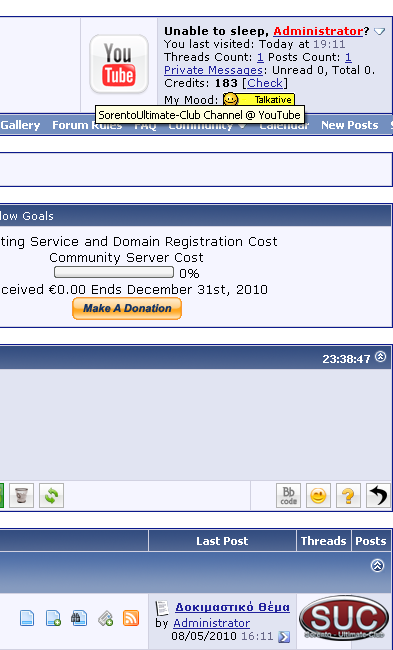
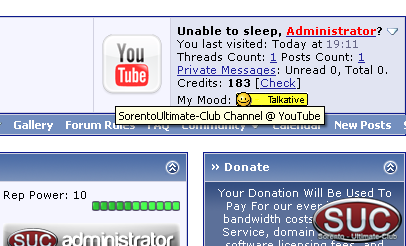
Description : Add YouTube Channel Link @ NavBar (Also vBadvanced)
Taurus1 Request,
Please remember to click Mark as Installed if you use this modification.
NO SUPPORT FOR USERS NOT MARKED AS INSTALLED.
Files : 1
Plugins : 3
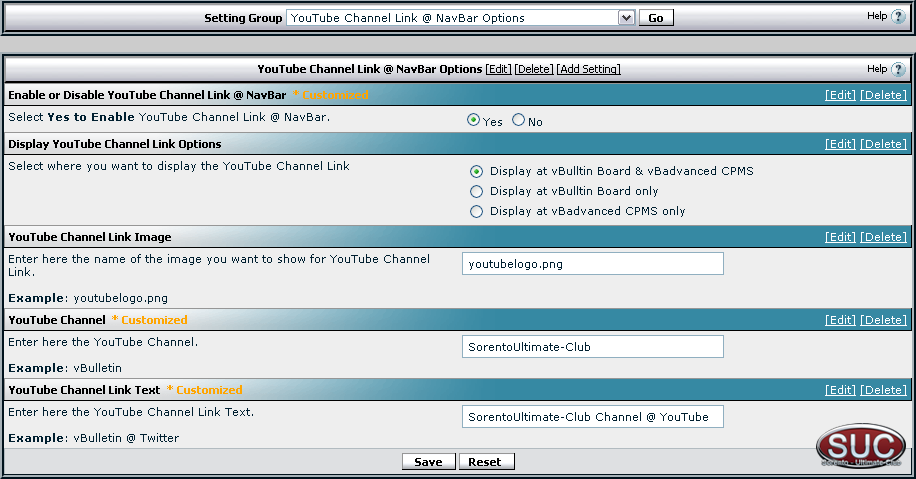
Settings : 1 Group / 5 Settings
Templates : 1
Phrases : 15
Instalation
1. Upload contents of folder forum (upload) to your forum.
2. Import Installation File.
3. Modify navbar template
Find
After Add
4. Go to Admin Control Panel, vBulletin Options, YouTube Channel Link @ NavBar and Modify your settings.
5. Only for vBadvanced Users
Go to Admin CP => vBa CMPS => Default Settings => Main Options => Portal Output Global Variables and add the variables:
youtube_channel_link_image_name
youtube_channel_link_text
youtube_channel
string_fnd
string_add
string_rpl
displaytype
displayplace
Sorento-UltimateClub
http://www.sorento-ultimateclub.com/
Description : Add YouTube Channel Link @ NavBar (Also vBadvanced)
Taurus1 Request,
Spoiler (click to open)
Thanks for this mate. I use it with the other one for facebook and it works great. Now if you can make one for Youtube like this, it will be awesome!!
Close
Please remember to click Mark as Installed if you use this modification.
NO SUPPORT FOR USERS NOT MARKED AS INSTALLED.
Files : 1
Plugins : 3
Settings : 1 Group / 5 Settings
Templates : 1
Phrases : 15
Instalation
1. Upload contents of folder forum (upload) to your forum.
2. Import Installation File.
3. Modify navbar template
Find
Code:
<div class="navbar" style="font-size:10pt"><a href="$vboptions[forumhome].php$session[sessionurl_q]" accesskey="1"><img class="inlineimg" src="$stylevar[imgdir_misc]/navbits_start.gif" alt="" border="0" /></a> <strong>$vboptions[bbtitle]</strong></div>
        </if>
    </td>
Code:
<!-- / PAGENAV YOUTUBECHANNELLINK -->
5. Only for vBadvanced Users
Go to Admin CP => vBa CMPS => Default Settings => Main Options => Portal Output Global Variables and add the variables:
youtube_channel_link_image_name
youtube_channel_link_text
youtube_channel
string_fnd
string_add
string_rpl
displaytype
displayplace
Sorento-UltimateClub
http://www.sorento-ultimateclub.com/
Download
 YouTube Channel Link @ NavBar v. 1.1.0.zip (143.6 KB, 81 downloads)
Screenshots