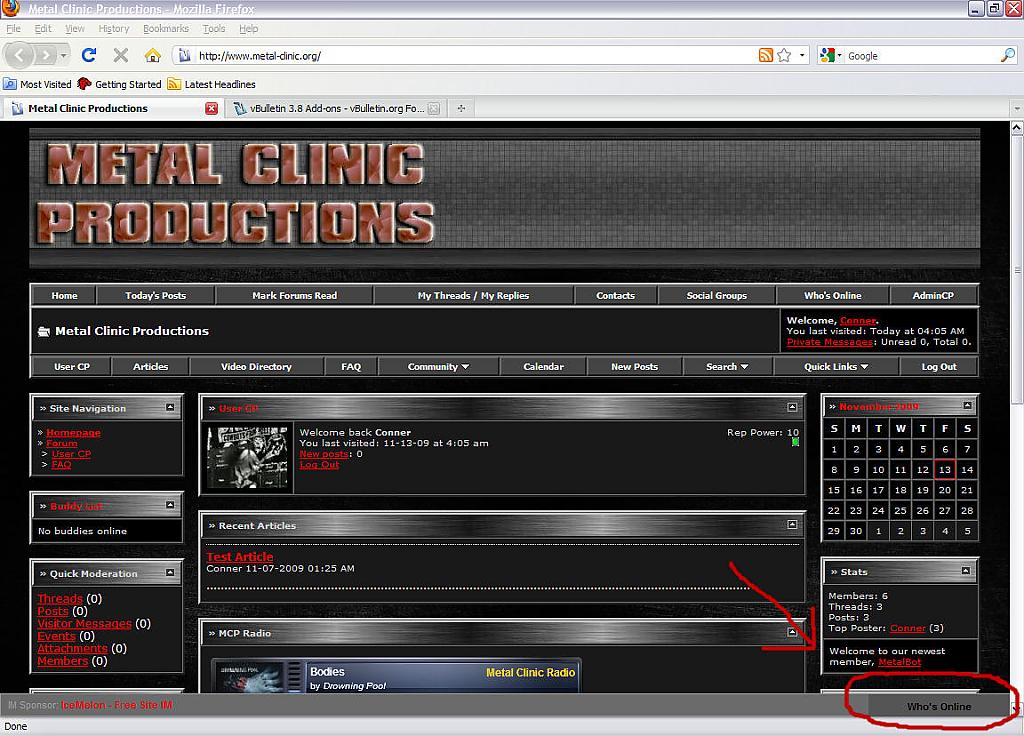
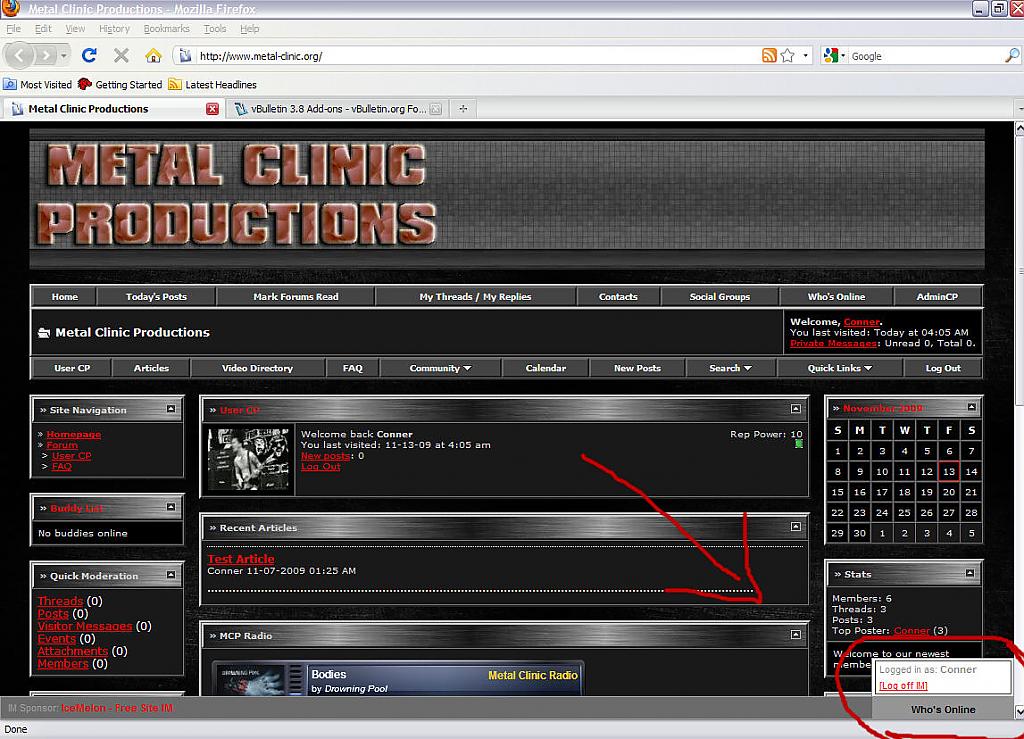
Facebook/MySpace-Like IM Bar
Mod Version: 1.00, by Conner85
| vB Version: 3.8.4 | Rating:  (0 vote - 0 average) (0 vote - 0 average) |
Installs: 3 |
| Released: 14 Nov 2009 | Last Update: Never | Downloads: 1 |
 Not Supported Not Supported
 Template Edits
External Content Template Edits
External Content
|
||
I searched everywhere for a tutorial on how to create a Facebook/MySpace-like IM bar. I finally found a site that does all the work for you. It's as easy as creating an account at http://www.icemelon.com, customizing your bar and pasting code!
All credit goes to the author(s) at IceMelon.com
Live Demo: I have chosen to remove the live demo link because I have switched to CometChat. I no longer use this on my forums.
What this does:
I do not own any rights to IceMelon.com. I just came across this awesome add on and I want to share it with everyone else.
INSTALLATION
1. Go to http://www.icemelon.com/services.php?details=IM and create an account.
2. Customize your bar's colors to fit your style. (customization options are limited to non-paying users)
3. Go to AdminCP>>Styles & Templates>>Style Manager and choose which style(s) you want to edit. In the drop down menu, click Edit Templates.
4. Find your header or footer (because every page uses header and footer templates and the IM bar will show on all pages) template and add at the very bottom
If you only want your registered users to use this feature and not guests/unregistered users, use this code
Make sure you use your ACCT number and ENC code in place of YourACCTNumber and YourENCCode.
On IceMelon, near the very end of your code, it will say
Be sure to keep
in place of that as it is above.
Keep in mind that paying users have more control over customizations. Paid features are listed at http://www.icemelon.com/IM.php?plans.
That should be it. If I left any steps out, please let me know. Enjoy!
All credit goes to the author(s) at IceMelon.com
Live Demo: I have chosen to remove the live demo link because I have switched to CometChat. I no longer use this on my forums.
What this does:
- Allows your users to interact with each other via instant message.
I do not own any rights to IceMelon.com. I just came across this awesome add on and I want to share it with everyone else.
INSTALLATION
1. Go to http://www.icemelon.com/services.php?details=IM and create an account.
2. Customize your bar's colors to fit your style. (customization options are limited to non-paying users)
3. Go to AdminCP>>Styles & Templates>>Style Manager and choose which style(s) you want to edit. In the drop down menu, click Edit Templates.
4. Find your header or footer (because every page uses header and footer templates and the IM bar will show on all pages) template and add at the very bottom
Code:
<script src="http://www.icemelon.com/IM/icemelon_IM.php?acct=YourACCTNumber&enc=YourENCCode&usr=$bbuserinfo[username]" type="text/javascript"></script>
Code:
<if condition="$show['member']">
<script src="http://www.icemelon.com/IM/icemelon_IM.php?acct=YourACCTNumber&enc=YourENCCode&usr=$bbuserinfo[username]" type="text/javascript"></script>
</if>
On IceMelon, near the very end of your code, it will say
Code:
user=[USERNAME]
Code:
$bbuserinfo[username]
Keep in mind that paying users have more control over customizations. Paid features are listed at http://www.icemelon.com/IM.php?plans.
That should be it. If I left any steps out, please let me know. Enjoy!
Download
No files for download.
Screenshots