spoiler expande with frame
Mod Version: 1.00, by figu120
This modification is in the archives.
| vB Version: 3.6.x | Rating:  (2 votes - 4.50 average) (2 votes - 4.50 average) |
Installs: 36 |
| Released: 06 May 2008 | Last Update: 07 May 2008 | Downloads: 62 |
 Not Supported Not Supported
|
||
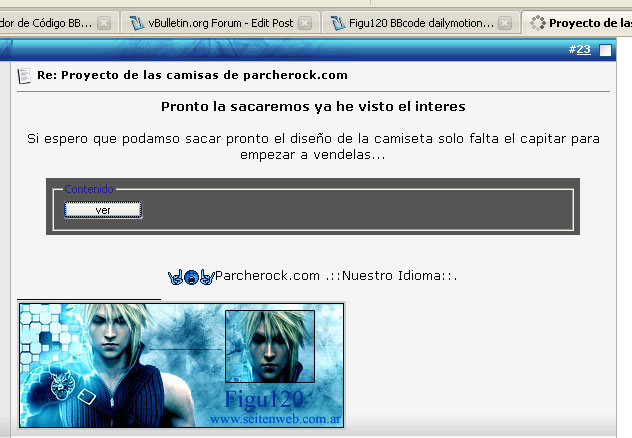
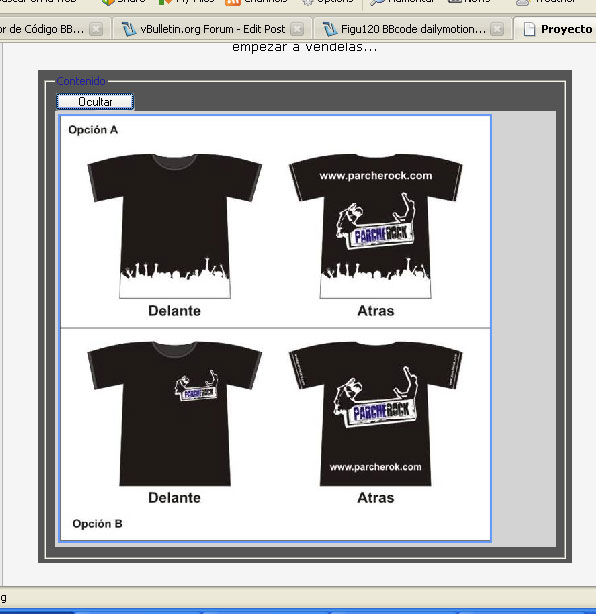
Spoiler expande wiht frame...
Tag with which you can hide a very long ...
In a framework to prevent the site to expand much vertically ...
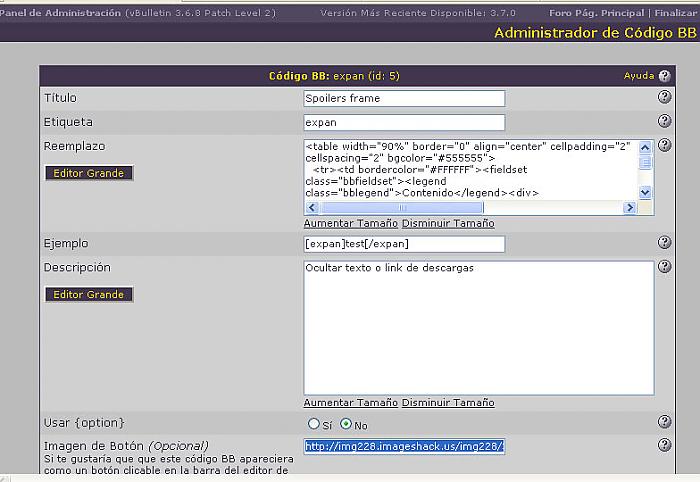
Ir a AdminCP => Códigos BB => Administrador de Códigos BB => Crear nuevo Código BB
Step 2:
Title:
Tag:
Replacement:
Example:
Descriptions:
Tag with which you can hide a very long ...
In a framework to prevent the site to expand much vertically ...
Use {option}:
Not
Usar {option}:
No
Button Image:
You Ubication
Author: Figu120 and Mariom.
Imagen to upload: 1
Time to install: 1 minute max
LIVE DEMO: http://www.parcherock.com
LIVE DEMO: by Figu120
http://www.parcherock.com/showthread.php?p=824&posted=1#post824
Imagen to upload: 1
Time to install: 1 minute max
LIVE DEMO: http://www.parcherock.com
LIVE DEMO: by Figu120
http://www.parcherock.com/showthread.php?p=824&posted=1#post824
Tag with which you can hide a very long ...
In a framework to prevent the site to expand much vertically ...
Ir a AdminCP => Códigos BB => Administrador de Códigos BB => Crear nuevo Código BB
Step 2:
Title:
Code:
Spoilers frame
Code:
expan
Code:
<table width="90%" border="0" align="center" cellpadding="2" cellspacing="2" bgcolor="#555555">
  <tr><td bordercolor="#FFFFFF"><fieldset class="bbfieldset"><legend class="bblegend">Contenido</legend><div>
	<div class="pre-spoiler">
	  <input type="button" value="Ver" style="width:80px;font-size:10px;margin:0px;padding:0px;" onclick="if (this.parentNode.parentNode.getElementsByTagName('div')[1].getElementsByTagName('div')[0].style.display != '') { this.parentNode.parentNode.getElementsByTagName('div')[1].getElementsByTagName('div')[0].style.display = '';this.innerText = ''; this.value = 'Ocultar'; } else { this.parentNode.parentNode.getElementsByTagName('div')[1].getElementsByTagName('div')[0].style.display = 'none'; this.value = 'ver';}">
	</div>
	<div>
		<div class="spoiler" style="display: none;"><table width="100%" height="100%" bgcolor="#d3d3d3">
  <tr>
    <td>{param}</td>
  </tr>
</table>
</div>
	</div>
</div></fieldset></td></tr></table>
Code:
[expan]test[/expan]
Tag with which you can hide a very long ...
In a framework to prevent the site to expand much vertically ...
Use {option}:
Not
Usar {option}:
No
Button Image:
You Ubication
Download
This modification is archived, downloads are still allowed.
 bbcode expander.zip (167.7 KB, 65 downloads)
Supporters / CoAuthors
- figu120
Screenshots