Custom forum CSS per Forum, using the Forum Admin
Mod Version: 1.00, by Adult SEO
This modification is in the archives.
| vB Version: 3.6.3 | Rating:  (1 vote - 4.00 average) (1 vote - 4.00 average) |
Installs: 23 |
| Released: 11 Nov 2006 | Last Update: 11 Nov 2006 | Downloads: 80 |
 Not Supported Not Supported
 DB Changes
Uses Plugins
Template Edits DB Changes
Uses Plugins
Template Edits
|
||
Hi!
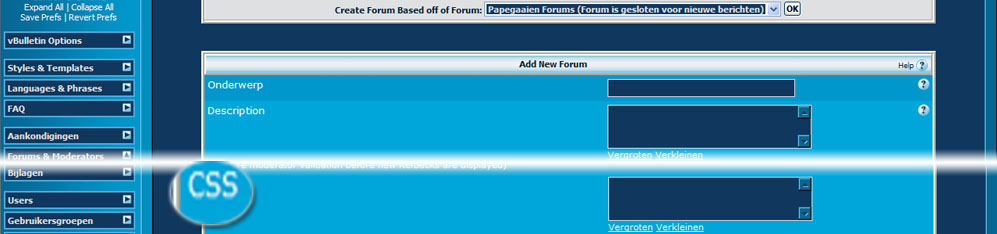
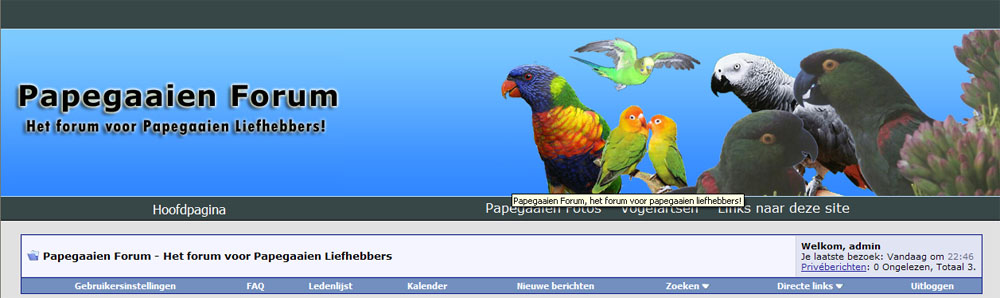
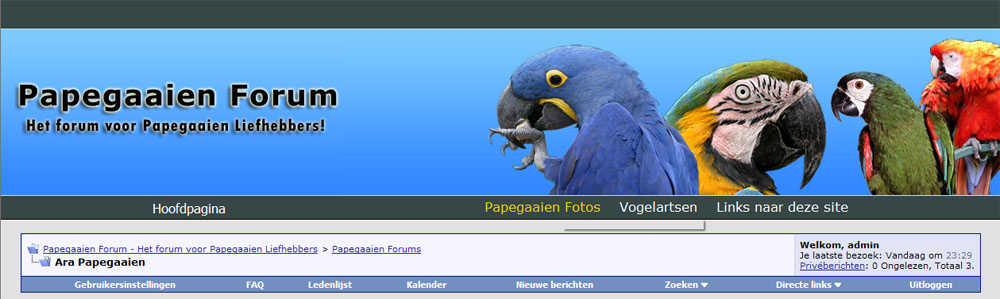
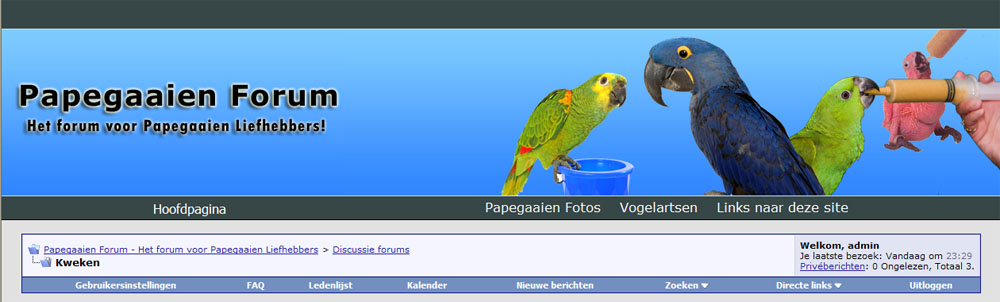
I am developping a new forum on http://www.papegaaienforum.com/ (meaning: parrotforum.com in dutch) and I needed to be able to change the header for each specific parrot via CSS and might also need to change other CSS for each specific forum so I wrote this small mod wich is optimized (fast, using variables already made available by vbulletin so no extra queries) and enables to configure CSS via the vBulletin admin as if it's available by default.
It contains 1 phrase ("CSS") and requires 1 template mod to insert the new styles just below the <body> tag via the "header" template. It might be better to place the styles just above the </head> tag on each seperate forum and threadview template but this requires more work so I provide instructions for the most easy and simple way.
Btw, if you use subforums without CSS specified on a parrent that does have CSS specified it will use the CSS of the parrent (unlimited, so also if you have 100 levels of subforums).
I am developping more mods btw, PM or email for more information.
Have Fun!
Jan Jaap
I am developping a new forum on http://www.papegaaienforum.com/ (meaning: parrotforum.com in dutch) and I needed to be able to change the header for each specific parrot via CSS and might also need to change other CSS for each specific forum so I wrote this small mod wich is optimized (fast, using variables already made available by vbulletin so no extra queries) and enables to configure CSS via the vBulletin admin as if it's available by default.
It contains 1 phrase ("CSS") and requires 1 template mod to insert the new styles just below the <body> tag via the "header" template. It might be better to place the styles just above the </head> tag on each seperate forum and threadview template but this requires more work so I provide instructions for the most easy and simple way.
- Upload css_install.php to your forum root (e.g. / or /forum/)
- Run the script, it will return an confirmation message that the instalation is completed. It will add one field to the forum table ("css"/TEXT).
- Import the included product (product-custom_forum_css.xml)
- Edit the "header" template and put the folowing code on very top of the template:
- <style type="text/css">
$forum_css_code
</style>
- <style type="text/css">
Btw, if you use subforums without CSS specified on a parrent that does have CSS specified it will use the CSS of the parrent (unlimited, so also if you have 100 levels of subforums).
I am developping more mods btw, PM or email for more information.
Have Fun!
Jan Jaap
Download
This modification is archived, downloads are still allowed.
 css_install.php (1.4 KB, 104 downloads)
 product-custom_forum_css.xml (1.9 KB, 101 downloads)
Supporters / CoAuthors
- Adult SEO
Screenshots