Online Thumbs v2.0 Gold
Mod Version: 2.0 Gold, by SkyCatcher
This modification is in the archives.
| vB Version: 3.6.7 | Rating:  (4 votes - 5.00 average) (4 votes - 5.00 average) |
Installs: 35 |
| Released: 05 Nov 2006 | Last Update: 07 Nov 2006 | Downloads: 162 |
 Not Supported Not Supported
 Uses Plugins
Template Edits Uses Plugins
Template Edits
|
||
Online Thumbs v2.0 Gold
What does this hack do?
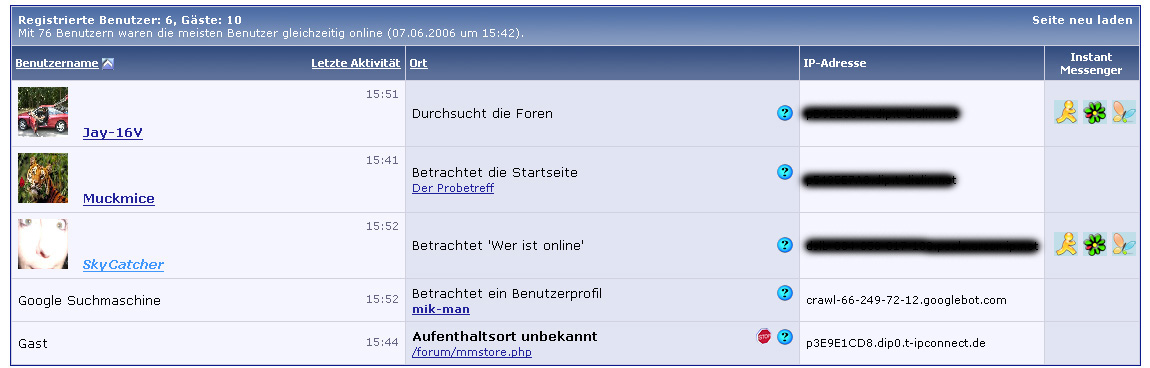
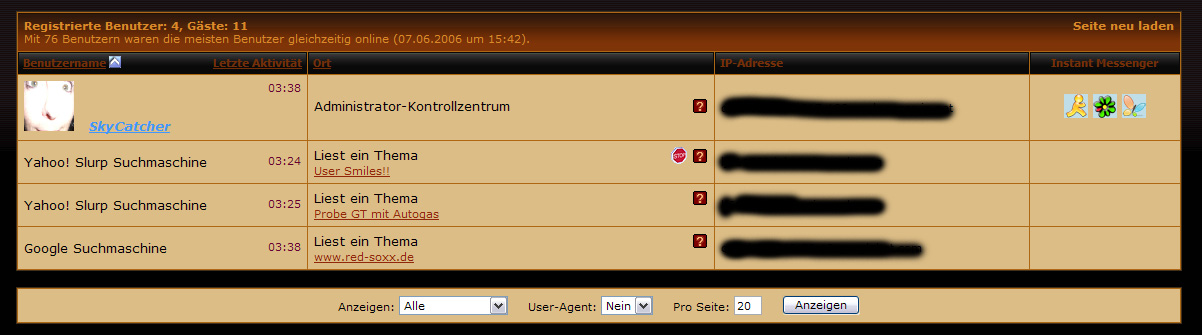
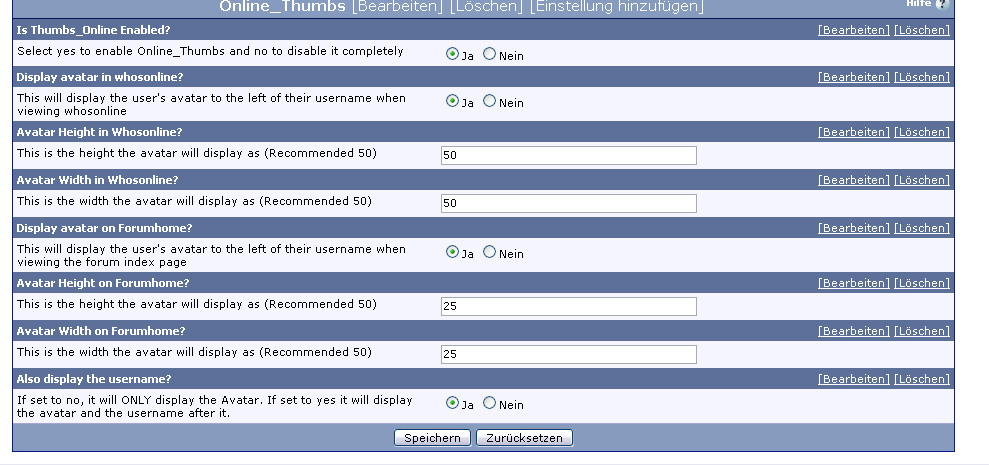
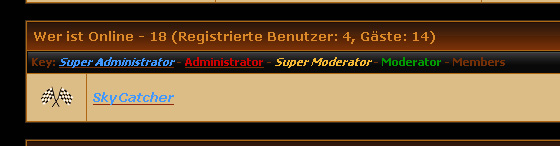
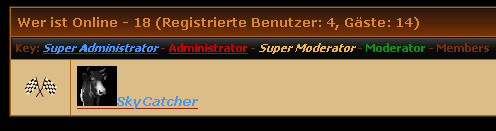
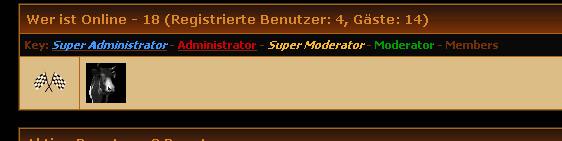
This will display your users avatars next to their username in the Forumhome whosonline list and in the whosonline page. Size of the avatar fully customizeable in the admincp. Also on option to only display the users avatar INSTEAD of their username in the forumhome whoslonline list.
Compatible with vb3.5.x - vb3.6.x
- Enable/Disable Completely
- Show Avatar Next To Username In Forumhome
- Show ONLY Avatar And NO Username In Forumhome
- Enable/Disable Forumhome Avatars
- Show Avatar Next To Username In Whosonline
- Enable/Disable Avatars in Whosonline
- Set Height and Width For Forumhome and Whosonline Avatars
Products: 1
Plugins: 2
New Templates: 1
Template Modifications: 1
Install Time: 3 min
Revisions
- 1.0 Initial Release
- 1.01 I believe the sql error is fixed.
- 1.1 Re-Done and Plugin elliminated.
- 1.2 Revamped again to make it compatible with DB and Filesystem Avatars
- 1.3 Completely Recoded
- 1.3.5 Added Additional Template to allow more modification
- 1.3.6 Added the use of the noavatar.gif
- 2.0 Gold - Added many new features and use of avatars in forumhome
- Import the product via the AdminCP
- See installation text for template edits.
- Upload noavatar.gif (or your own) to each styles /misc directory (where birthday.gif, etc can be found).
UPGRADING
Simply delete the product/plugin depending on your previous version and undo the template edits. Then install the new product and follow the install directions.
Compatibility
This has been tested with
- vb3.5.4 - vb3.6.7PL1
If you like this then please click install as I am very happy with it now

======================================================
Download
This modification is archived, downloads are still allowed.
 Complete_Thumbs_Online2.0Gold.zip (309.7 KB, 241 downloads)
Screenshots